
Tapadum Tuner: A Free Online Oud Tuner, Makam Drone, and Usul Metronome in One
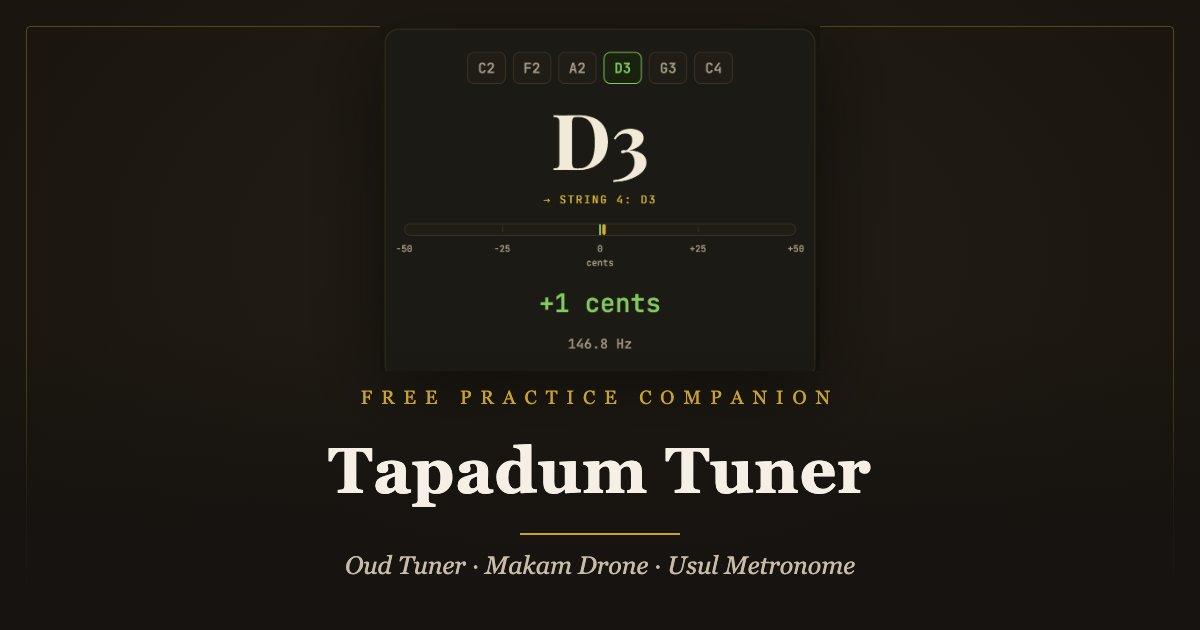
Tapadum Tuner is a free online oud tuner that has grown into a complete practice companion for modal music: accurate tuning for oud, baglama, lavta, bouzouki, setar, and tar, a layered drone for makam practice, scale playback built on real oud recordings, and an usul metronome voiced by real percussion. It lives in the browser at tuner.tapadum.com, installs on your phone like an app, and keeps working when there is no internet at all.
We built it at Tapadum for a simple reason: most tuning apps are designed around the guitar. They assume single strings, a quiet room, and twelve equal notes to the octave. The instruments we build and play assume none of those things.
What an Online Oud Tuner Has to Get Right
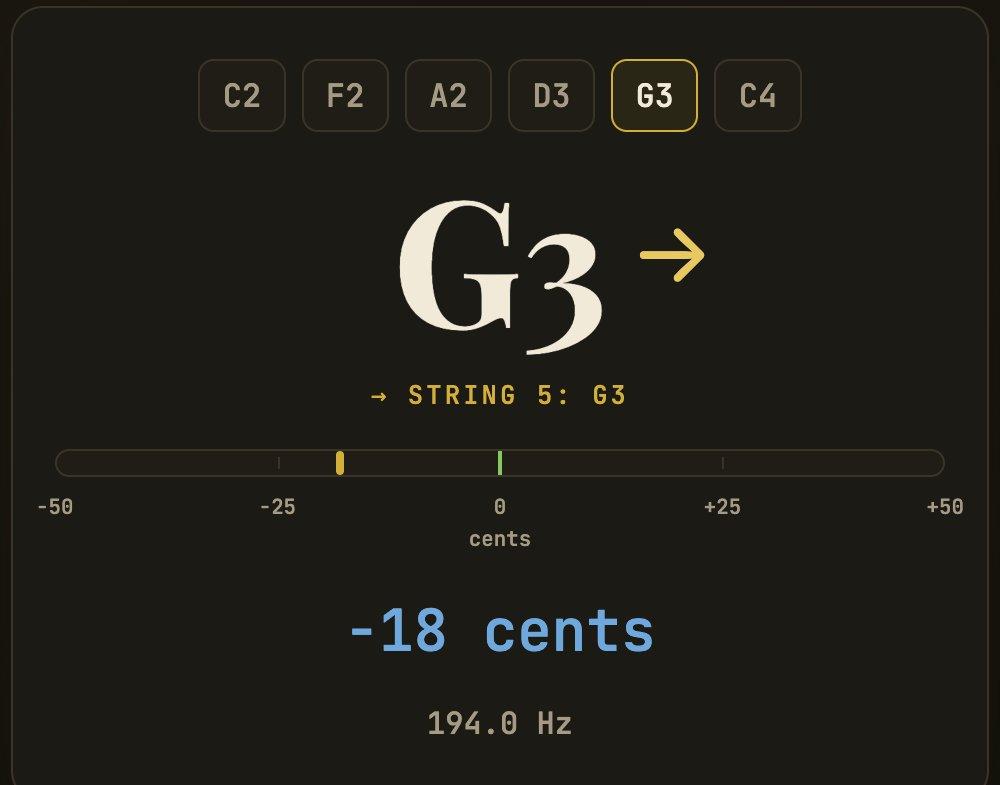
The hardest part of tuning an oud with a phone is the low register. Phone microphones capture very little of the fundamental of a low C2 or F2 bass string, so a generic tuner often latches onto a harmonic and shows the wrong octave, with a needle that jumps between readings. Tapadum Tuner’s detection engine was shaped around exactly this problem: it analyzes a long audio window, discards stray readings, and — because every preset knows which notes your strings should reach — folds each reading onto the correct target octave. The result is a steady needle even on the lowest bass strings.
Around that engine sits a workflow made for real tuning sessions. Arrows beside the note name tell you whether to tighten or loosen. A string that reaches pitch turns green and stays green, and the app quietly highlights the next one, so working through all the courses takes no thought. If a string is far from its target — a fresh string still settling, for instance — tap its chip to lock the reference, and the tuner will never guess the wrong string.
Two smaller details carry a lot of weight. The reference pitch is fully adjustable: A4 = 440 Hz is the default, but you can dial in any value if your ensemble tunes to 432 or a historical recording sits lower (we explored that debate in 440 Hz or 432 Hz — which one is truly more natural?). And the new Noisy room mode narrows the tuner’s hearing to the frequency band around your target string, so a fan, a chattering crowd, or music from the next room stops pulling the needle. You can switch it on and off live while the microphone runs and hear the difference immediately.
Tunings Verified on Real Instruments
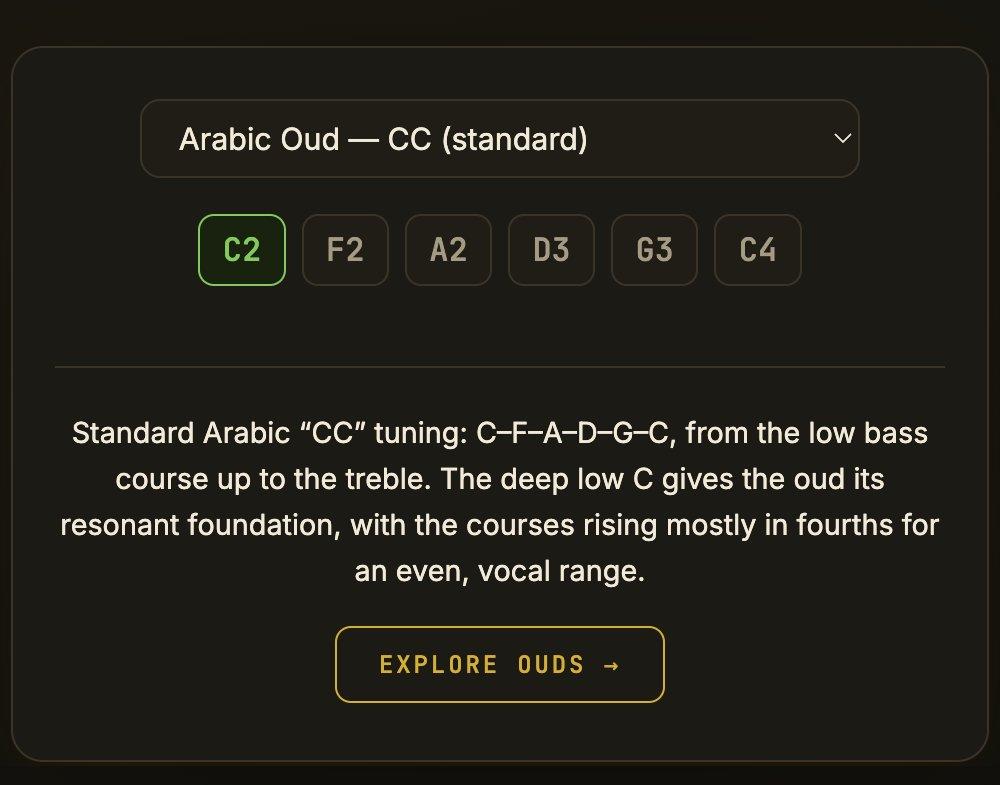
Tapadum is an instrument workshop before it is a website, and every preset in the tuner was checked against the actual instrument in hand — not copied from a chart. The current preset list:
- Arabic oud (C2 F2 A2 D3 G3 C4) and Turkish oud in Bolahenk (C#2 F#2 B2 E3 A3 D4)
- Long-neck baglama (A-E-B) and short-neck baglama (B-A-E)
- Lavta (D2 A2 D3 A3)
- Greek bouzouki, in both three-course and four-course forms
- Ogur sazi, in the maker’s own string order
- Persian setar and Persian tar
Baglama players will notice something small but important: courses are grouped the way the instrument is actually strung, and octave pairs such as A2/A3 appear as separate targets instead of being blurred into one note. There is also a plain chromatic mode for when you simply want to know what pitch is sounding.
If your tuning is not on the list, build it. Custom tunings can be assembled by hand, or captured by ear: press the microphone button on a string row, play the string, and the detected pitch writes itself in. Saved tunings stay on your device — no account involved — and any of them can be shared as a link; open it on another phone and the tuning imports itself.
A Drone That Holds the Ground
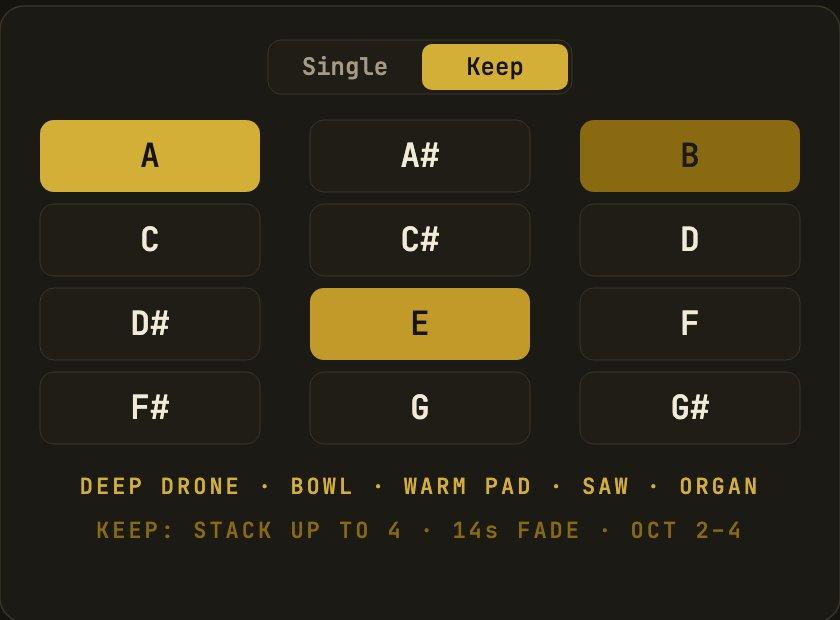
Makam practice traditionally rests on a sustained ground tone — the dem. Tapadum Tuner’s drone screen gives you twelve chromatic pads, each sounding the root, its fifth, and a sub-octave, in five voices that range from the meditative Deep Drone to the slowly beating Singing Bowl. Crossfades between notes are seamless, so shifting the ground under a phrase never breaks your concentration.
In Keep mode, pads stack: up to four layers form a slowly breathing texture, and an optional fade lets each layer bloom and dissolve on its own — closer to an evolving soundscape than a static drone. A sleep timer (5, 10, or 20 minutes) lets the sound carry you to the end of a session and switch itself off. A small karar chip shows the resting tone of your selected makam, one touch away.
Makam Scales Played on a Real Oud
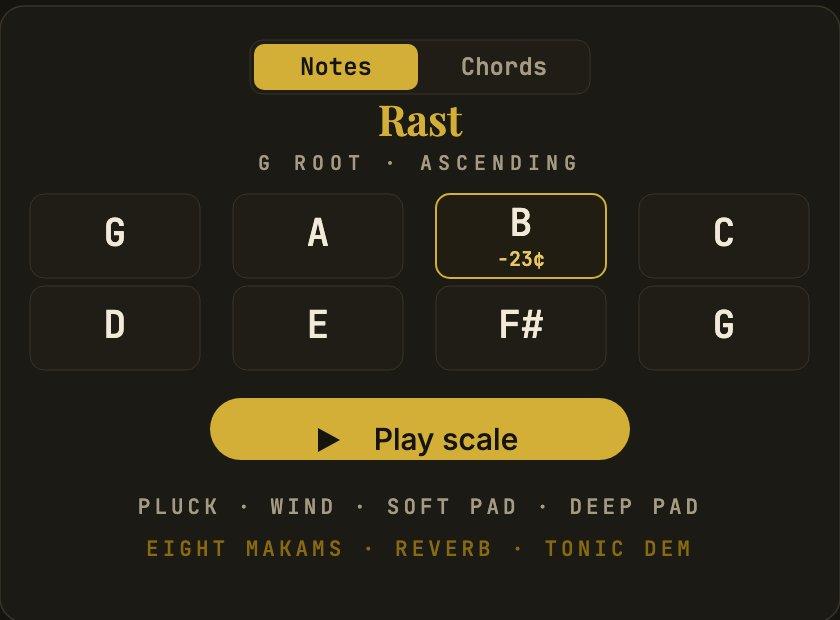
The Scale screen plays makam scales on real oud recordings — twenty-three chromatically sampled notes spanning C2 to E4 — so a low Rast phrase and a high Hicaz answer both sound like the instrument itself rather than a synthesizer. Eight makam presets ship with the app — Rast, Ussak, Hicaz, Huseyni, Kurdi, Saba, Nihavend, and Segah — alongside major and natural minor. The pitch data follows our workshop’s tuning ruler: the segah degree sits one comma (about 23 cents) below its Western neighbor, the very detail that gives these scales their color. For a broader picture of what a maqam is beyond its scale, the linked overview is a fair starting point.
The practice tools around it run deep. Play ascending, descending, or both; halve or double the note rate; transpose freely; and choose your register — bass, middle, high, or a single sweep from bass to high. A Chords sub-mode cycles a progression in sync with the metronome and can strum on the beats of the selected usul. You can also build custom scales degree by degree, nudging any note by a single comma with one tap and hearing the change instantly.
Train Your Ear, One Comma at a Time
Inside the Scale screen lives an ear-training mode with three exercises. The first plays a note twice and asks whether the second was higher or lower. The second is a test you will rarely find elsewhere: it asks whether a note was raised a comma, lowered a comma, or left alone — exactly the discrimination modal music demands of a player. The third plays the opening degrees of a random makam and asks you to name it.
There are no points, badges, or streaks — just a session counter and your own ear getting sharper. Because the exercises use the same oud samples as the scale player, you are training on the timbre you actually play with.
An Usul Metronome That Speaks Dum and Tek
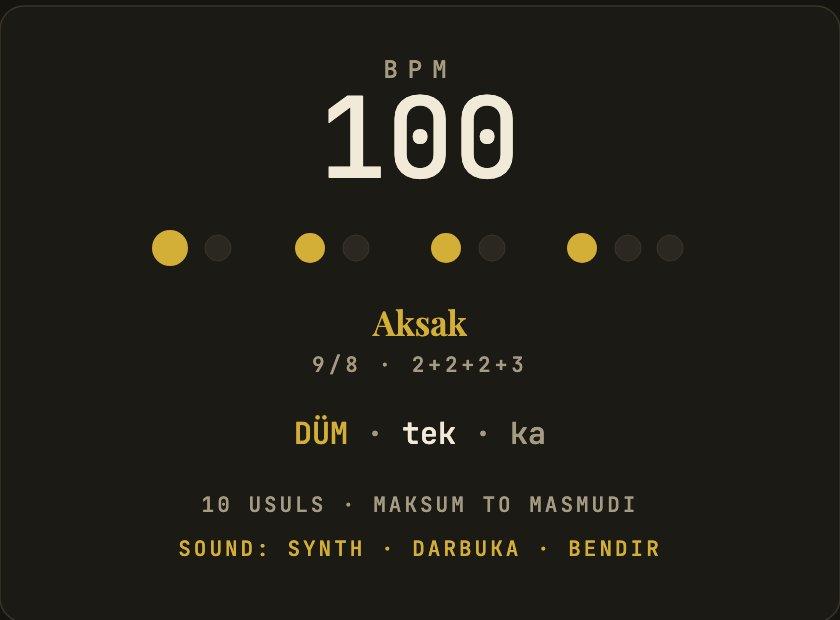
In this tradition rhythm is not a click; it is an usul — a cycle of deep dum, crisp tek, and soft ka strokes. Tapadum Tuner’s metronome ships with ten traditional usul patterns, from Maksum, Duyek, and Ayub through the limping nine of Aksak to Devr-i Hindi, Turk Aksagi, Saidi, Baladi, Malfuf, and the long frame of Masmudi Kebir. Each is drawn as a circle — the way these cycles have long been taught — with the current stroke lit and named at the center.
The strokes are played on real recorded percussion: darbuka, bendir, riq, frame drum, and buc (a Korean buk drum), with a clean synthesized click always available. A Learn mode slows the tempo to 60 BPM and spells the pattern out stroke by stroke. Tap tempo sets the pace by feel; a speed trainer raises the BPM every few bars while you practice; and free meters from a simple 4/4 to 10/8 and beyond keep their correct aksak groupings. If the darbuka’s voice pulls you in, the instruments themselves — handcrafted in our Izmir workshop — live in the darbuka collection.
Free, Offline, and Yours
Everything above is free: no account, no ads, no locked features. Capabilities that tuning apps often sell separately — an adjustable reference pitch, saved custom tunings, drone voices — are simply included.
Tapadum Tuner is a web app (a PWA). Open tuner.tapadum.com in your browser; on Android, choose “Install app,” and on iPhone use Share → “Add to Home Screen.” After the first load it works fully offline — tuner, drone, scales, and metronome — because every sound is either synthesized on the device or bundled with the app, which stays smaller than a single photo. The interface speaks English and Turkish and follows your light or dark preference.
Our tuning guides go deeper on individual instruments — start with how to tune an Arabic oud or the Turkish oud guide — and when an instrument of your own is calling, the oud and baglama collections are where our workshop’s daily work lives.
Frequently Asked Questions
Is Tapadum Tuner really free?
Yes. There is no account, no advertising, and no premium tier; every feature described here is included. We are an instrument workshop first, and the tuner is our way of being useful to players every day — whether or not an instrument of ours is ever in your hands.
Does it work offline?
Yes. After the first visit, the entire app — tuner, drone, makam scales, and metronome — runs without an internet connection. All sounds are synthesized on your device or bundled with the app. Install it to your home screen and it behaves like any other app.
Which instruments does it support?
Ready-made, maker-verified presets cover the Arabic and Turkish oud, long- and short-neck baglama, lavta, Greek bouzouki (three- and four-course), Ogur sazi, Persian setar, and Persian tar. A chromatic mode reads any pitch, and custom tunings extend the tuner to anything with strings.
How accurate is it on low oud strings?
The detection engine was built specifically for low fundamentals, where phone microphones are weakest, and preset targets let it correct octave errors automatically. Every preset was verified on the real instrument with a phone microphone before release.
Can I tune in a noisy room?
Yes — switch the tuner to Noisy room mode. It focuses the microphone’s attention on the frequency band around your target string, so fans, conversation, and background music largely disappear from the reading. You can toggle it mid-session and compare both modes live.